Overview
We’ve introduced Analytics for External Tracking, giving users native visibility into visitor behavior on externally hosted sites and forms (both native and HTML-based).
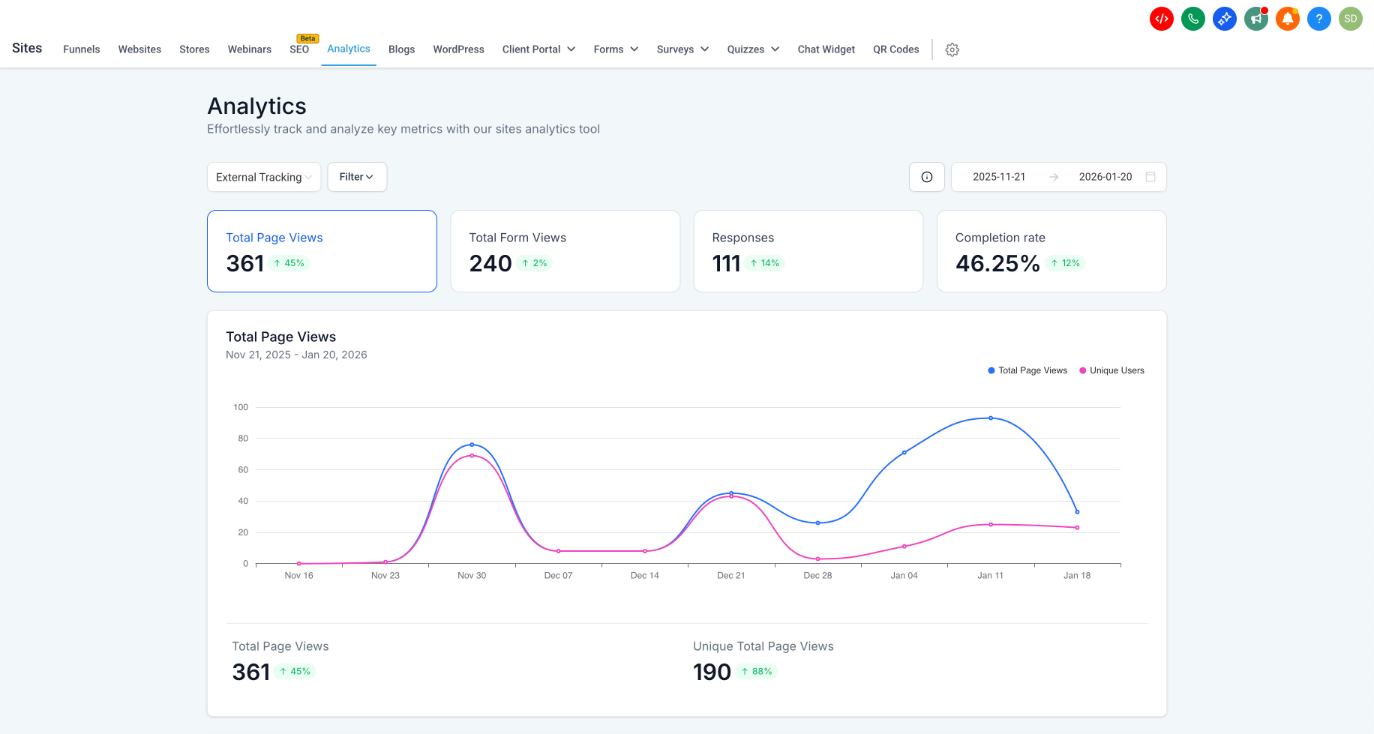
This release adds a centralized analytics dashboard to track page views, form views, responses, and completion rates, with detailed filtering and audience breakdowns.
What’s New
Analytics Access
- Added a new Analytics button inside the External Tracking modal
- Clicking the button redirects users to Site Analytics with External Tracking preselected
- The External Tracking option appears in the analytics dropdown only when the tracking script is connected
External Tracking Analytics Dashboard
Users now get a dedicated analytics view with:
- Total Page Views
- Total Form Views
- Responses
- Completion Rate
Time-Based Insights
- Date range selector to analyze trends over time
- Line charts with daily breakdowns for: Page Views, Form Views. Responses, Completion Rate
Engagement Metrics
- Average Time on Page
- Exit Before 30s (bounce rate)
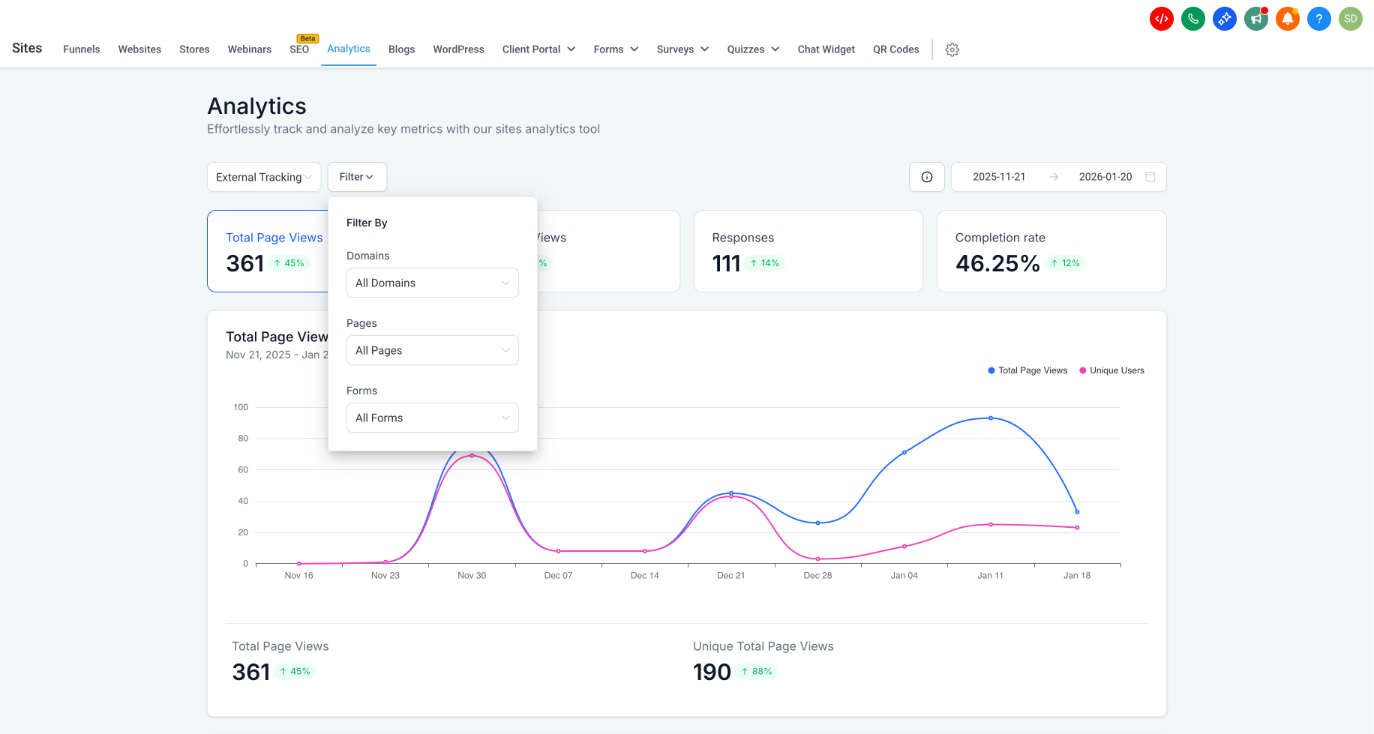
Filtering
Analytics can be refined using filters for:
- Domains
- Pages
- Forms
This allows users to isolate performance without unnecessary noise.
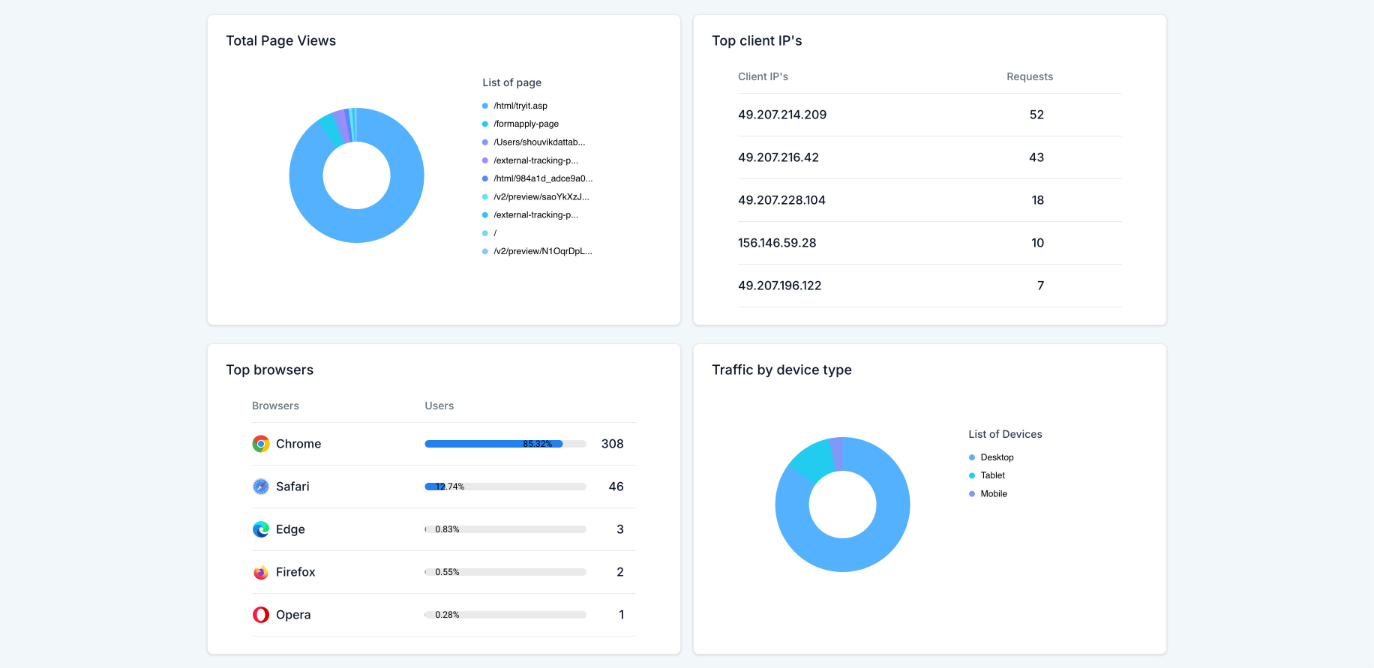
Audience & Traffic Breakdown
Aggregated, anonymized insights include:
- Traffic by Device Type
- Top Browsers
- Top Client IPs (aggregated)
- Geographic distribution by: Country, State, City
Form-Level Analytics
A new All Forms section provides:
- Form-wise breakdown of: Total Views, Responses, Completion Rate
- Last updated timestamps for quick auditing
Why This Matters
- No third-party dependency:Native analytics without external tools
- Better optimization:Understand what pages, forms, devices, and regions drive engagement
- Consistent experience:Analytics lives alongside Sites and Forms, reducing context switching
Important Note
- The Average Time on Page metric started capturing data on January 20, 2026
- Data prior to this date is not available
Was this article helpful?
That’s Great!
Thank you for your feedback
Sorry! We couldn't be helpful
Thank you for your feedback
Feedback sent
We appreciate your effort and will try to fix the article